How to make a Steam wishlist link
A Steam wishlist link is a link to your game's Steam store page. People open it and press "Add to your wishlist". This guide shows where to find yours, how to see which links bring in wishlists, and what goes wrong when people open it on their phones.
Your game's Steam link
Every game on Steam has a store page at an address like this:
https://store.steampowered.com/app/1234560/Your_Game/The number is your game's app ID. The name at the end is optional, so store.steampowered.com/app/1234560 goes to the same page. To get yours, open your store page in a browser and copy the address.
People can wishlist your game as soon as its store page is public, which can be long before the game comes out. So it's worth sharing the link early.
There is no link that adds a game to someone's wishlist on its own. Everyone has to open the store page and press the button, and they have to be signed in to Steam to do that.
See which links bring in wishlists
Steam can tell you which of your links led to wishlists. Add UTM tags to the end of the link, with a different tag for each place you post it:
https://store.steampowered.com/app/1234560/?utm_source=tiktok&utm_campaign=trailerThen open the UTM Analytics report for your game in Steamworks. It shows visits and wishlists for each tag. The link needs utm_source or utm_campaign for Steam to count it. Steam explains the details in its UTM Analytics documentation.
One catch: Steam only counts visits from people who are signed in to Steam. Anyone who opens your link while signed out doesn't show up in the report.
Why people on their phones often don't wishlist
Most people who see your posts on TikTok, Instagram or YouTube are on their phones. On a phone, a Steam link has a few problems:
- TikTok and Instagram open links in their own browser, inside the app. People are almost never signed in to Steam there.
- Even in their normal browser, a lot of people aren't signed in to Steam on their phone.
- When someone isn't signed in, Steam asks them to sign in before they can wishlist. Many people stop there and don't come back later.
Because those people weren't signed in, Steam's UTM report doesn't count their visits either, so you don't see how many you lost.
Things that help
- Put the link where people look for it: your bio, a pinned comment, and the video description.
- Ask for the wishlist directly, in the video or the caption, and say where the link is.
- Use one link everywhere, with a different tag for each place, so you can compare them.
- Give people on their phones a way to come back to it later, for example by emailing themselves the link to open on their PC.
What wishlist.here does
We're indie developers, and we made wishlist.here for these problems. It's free. You get a short link like wishlist.here/yourgame:
- On a PC, it goes straight to your Steam page, with UTM tags added.
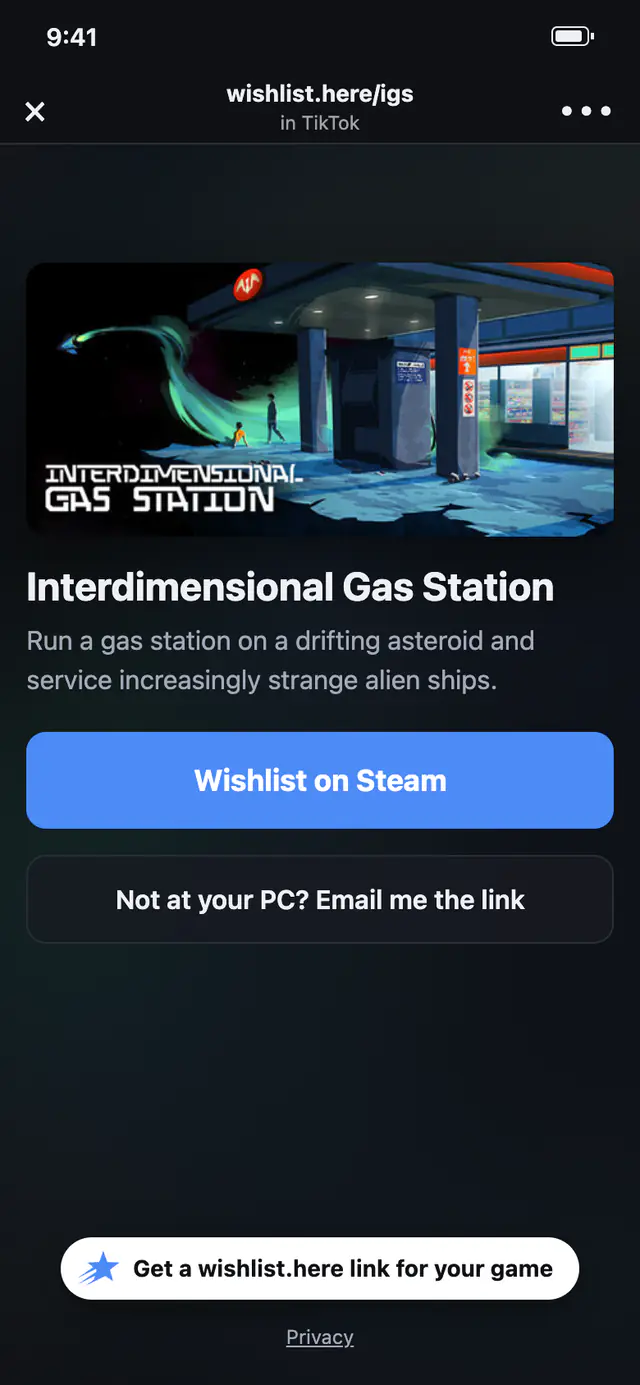
- On a phone, it opens a page with one Wishlist on Steam button. In TikTok or Instagram, the button shows people how to open the link in their normal browser, where they're more likely to be signed in to Steam.
- People who can't wishlist right then can email themselves the link, and can sign up for your mailing list.
- Your dashboard shows visits and wishlist taps, and your Steam wishlists if you add a Steamworks key.